


Article Options

There is a wide range of article information that you can choose to display either above or below any one or all Articles published in your website.
For example: Author Details and Published Date.
WYNCHCO Website Designs by default hide most article information, including:
- User Rating,
- Author Details,
- Published Date Details,
- Number of Hits.
Reason: to achieve a nice clean uncluttered display.
The one piece of information which is displayed by default is the date when an Article was last updated.
This tells readers whether or not an Article is current - see image below.

How to change Article Display Settings
You can determine which Article Information is displayed by changing Article Options on two different levels:
- globally (all Articles), or
- locally (one Article at a time).
Your choice of which information will be displayed globally (ALL Articles) will be overridden by whatever choice you make locally (for any one Article).
Globally change Article display settings
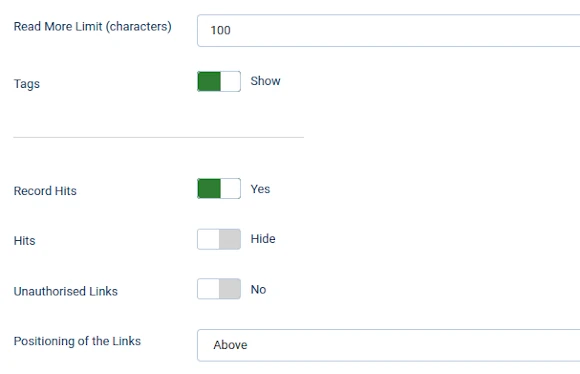
Select the Options button from the top right of the Articles in your website's Dashboard to globally change the way Articles are displayed.

Key display settings are listed (and may be changed) under the Articles tab.
These settings are applied to every Article in your website unless countermanded by the settings for any one Article under the Options tab of the Article screen.
Articles Tab


Locally change Article display settings
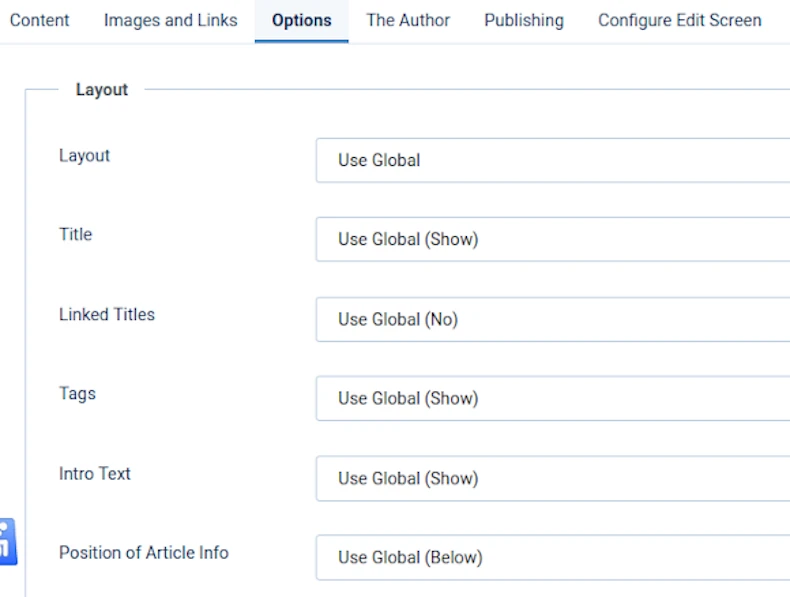
Use the Options tab when editing an individual Menu Link or Article to override the global Article Options.
Example
Article Options settings may be configured globally to hide the name of the Author.
Under the Options tab of any one Article you can override this setting locally to display the name of the Author./p>
How to change Editing Layout settings
Select the Options button from the top right of the Articles screen - see image below - to determine Editing Layout when editing an Article.
Globally change Editing Layout settings
Select the Options button from the top right of the Articles in your website's Dashboard to globally change the Editing Layout settings of all Articles in your website.
These settings may be locally changed for any one Article under the Configure Edit Screen tab of the Article screen (see next slider).
Editing Layout Tab


Locally change Editing Layout settings
When editing an Article you can locally change the Editing Layout options.
Editing Layout (globally) = Configure Edit Screen (locally).
Change the editing layout for any one Article screen under the Configure Edit Screen tab.

Article Options
JOOMLERS.UK is sponsored by WYNCHCO Solutions
WYNCHCO Solutions help and support managers responsible for Joomla! CMS websites in UK business and third sector organisations across Cheshire, Greater Manchester, Merseyside and North West England.


