


 Custom Modules can be used to display content in the same way as an Article.
So what is different about a Custom Module?
Unlike an Article, a Custom Module can be displayed both:
- outside the Main Body in any Position which exists in a Template Position Map, and
- inside an Article itself when the Loadposition Command is used.
Read more: How to display Modules inside Articles.
Example Custom Module: Copyright
A WYNCHCO Website Design provides you with two complementary methods for displaying a Copyright in your website:
These are using:
- a WYNCHCO Template Style Set, and/or
- a Custom Module called Copyright Statement.
The second method uses a Custom Module which by default is unpublished.
If you would like to use it then follow these steps.
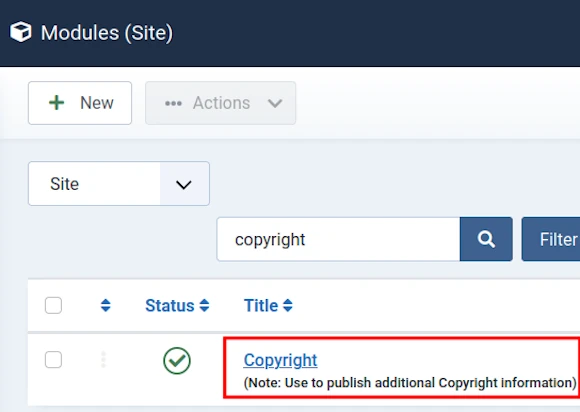
Publish the Copyright Custom Module
Toggle the Status button next to the name of the Module from a Grey Circle to a Green Tick to publish the Copyright Module.
When published, the Copyright Module with be displayed at the bottom of your website.
Edit and Save the Module
Add your own text and/or images to customise the Copyright Module.
When done, select the Save & Close button.

Read more: How to edit a Custom Module.


