


Workflow Component

In Joomla, a Workflow is a sequence of steps in the life of an Article from its conception to its demise.
An Article's Workflow is comprised of Stages and Transitions (between Stages).
Stages and Transitions are recorded separately so that Workflows can be enabled or disabled without affecting the state of an Article (unpublished, published, archived or trashed).
The Workflow Component is disabled by default in the Joomla! CMS and in a WYNCHCO Website Design.
When might the Workflow Component be useful?
If your website is administered by a team of editors and contributors then you may wish to consider enabling and using the Workflow Component.
Maybe your website is a Magazine or very busy Blog administered by a team comprising Managers, Publishers, Editors and Authors.
Each Manager could be responsible for a different Category, publishing Articles contributed by Authors, some of whom might be Editors (with or without publishing rights).
The Workflow Component could help Managers work more efficiently in such a situation.
Find out more about User Groups at the following link.
Read more: Joomla! CMS User Groups.
How to enable the Workflow Component
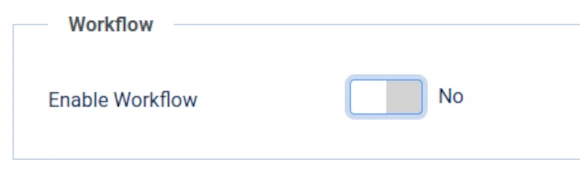
To enable or subsequently disable Workflow, select the Options button at the top right of the Articles screen.

Under the Integration tab you will see the Workflow panel.
Toggle the Enable Workflow button from No to Yes to enable the Workflow Component to be used.
Workflow Menu Link
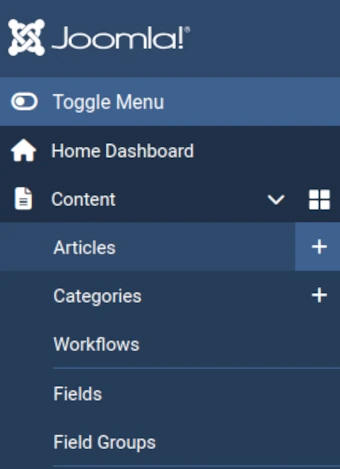
Once you have enabled the Workflow Component (see above) then a Workflows menu link will be displayed in the Content sub-menu of the Sidebar menu in your website's Dashboard.
Where? Immediately below the Categories sub-menu link - see image below.
Workflow Plugins
Use of the Workflow Component requires that the following Workflow Plugins are enabled and configured:
- Workflow - Publishing Plugin,
- Workflow - Featuring Plugin, and
- Workflow - Notifications Plugin.
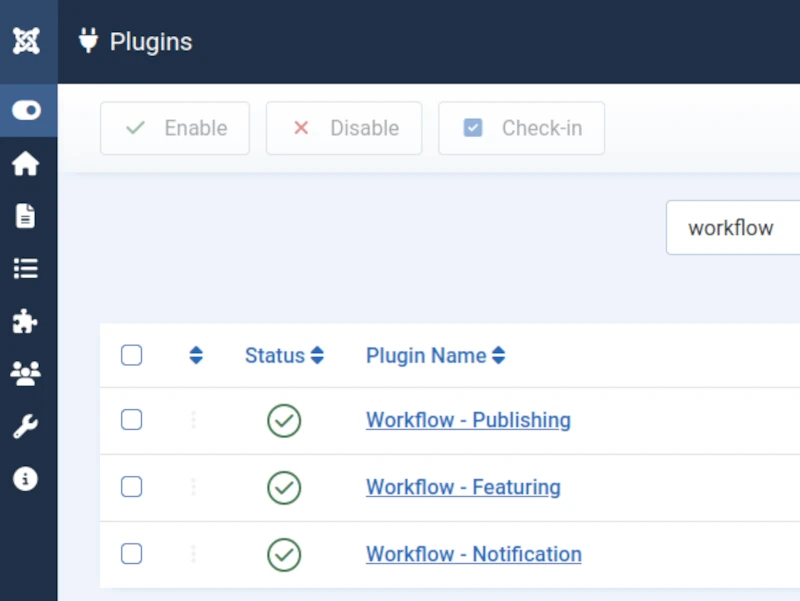
In a Joomla! CMS Website Design these plugins are by default enabled and configured (as shown under each of the tabs below) ready for use.
This plugins facilitate the creation of Workflows to support administration of website content (Categories and Articles).
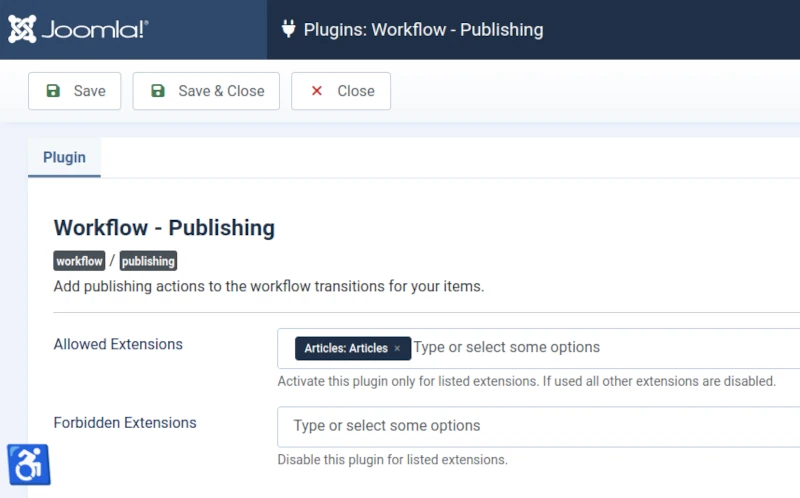
Workflow - Publishing Plugin
Adds publishing actions to workflow transitions for items.
To configure, toggle the Allowed Extensions field and select 'Articles: Articles'.
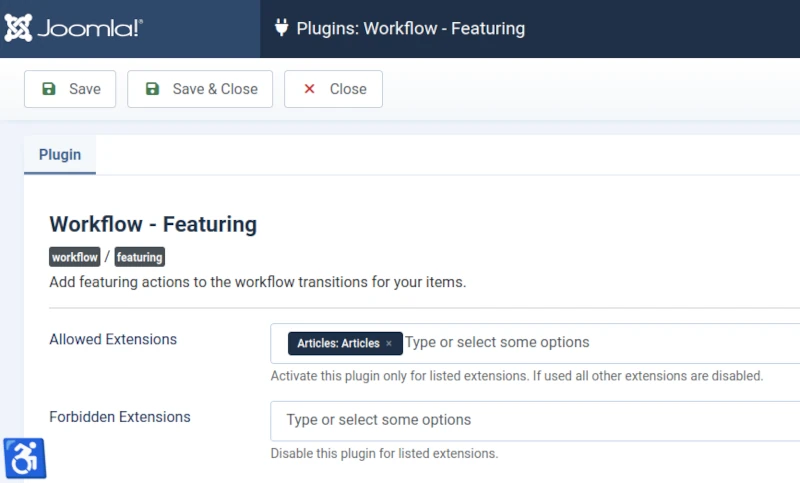
Workflow - Featuring Plugin
Adds featuring actions to workflow transitions for items.
To configure, toggle the Allowed Extensions field and select 'Articles: Articles'.
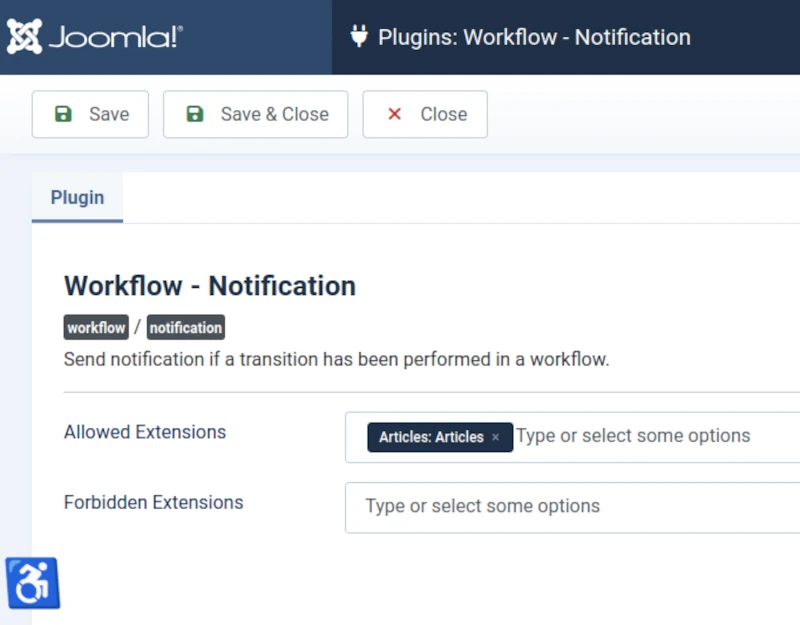
Workflow - Notifications Plugin
Sends notification when transition is performed in a workflow.
To configure, toggle the Allowed Extensions field and select 'Articles: Articles'.
Workflow tab in the Category Screen
Once you have enabled the Workflow Component (see above) a Workflow tab will be visible in Category screens - see example in the image below.
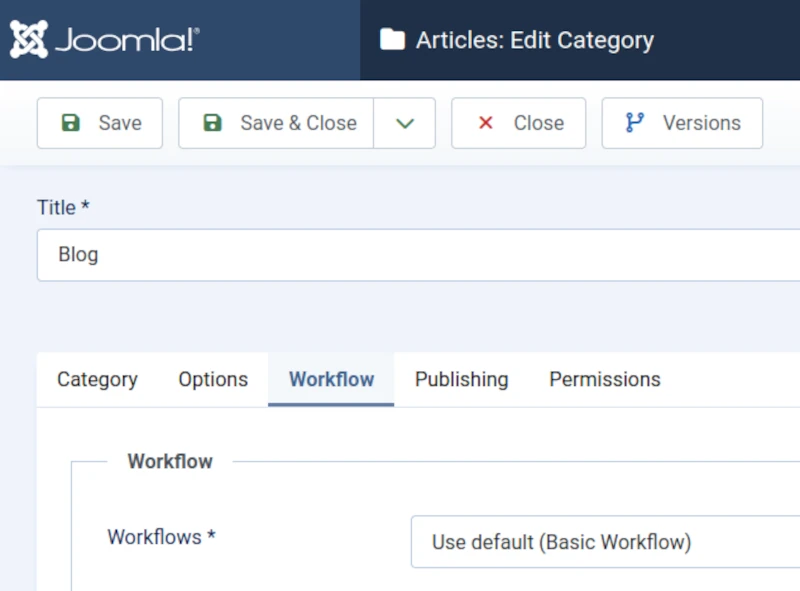
By default the tab will show a pre-configured Workflow is to be used when administering Articles in the Category.
The default Workflow is called 'Basic Workflow' and comprises 7 Stages (with related Transitions).
In the above image, Articles created in the Blog Category, are to be administered using the Basic Workflow.
You may however choose to create a different (new) Workflow for use only with the Blog category.
For example, a Blog Workflow (comprising a different number of Stages and Transitions).
We illustrate how to create more Workflows, Stages and Transitions (andd use the Workflow Graph feature introduced with Joomla! 6.1) in the next section of this article.
Useful Links
You may also find the following links useful when considering whether or not to use the Workflow Component.
Scroll down when you visit the first link below to see links to example uses of the Workflow Component.
Introducing Workflow (Official Joomla! 6 Documentation)
Workflow Component (Official Joomla! 4 Documentation)


