


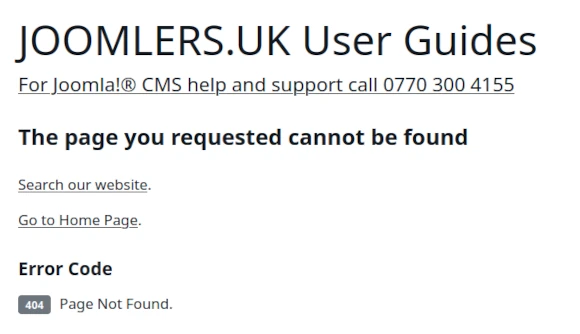
A WYNCHCO Template Design includes a pre-configured 404 Page Not Found by default.
The default 404 Page Not Found includes the following links:
- Search our website,
- Go to Home Page,
with the aim of keeping users engaged when they unwittingly use a broken link to your website.
The following image illustrates the default 404 Page Not Found as created by a WYNCHCO Template Design.

The text '404 Page Not Found' in the above image is an SVG file, included with the WYNCHCO Template.
You can either replace the image (pnfbanner.svg) contained in the Template's 'images' folder.
Or link to another image of your choice (we recommend using the webp format) via the Template Styles screen of your website's Dashboard.
The image below shows just such a 404 Page Not Found.

404 Page Not Found Module
A WYNCHCO Website Design also includes a Custom Module called '404 Page Not Found'.
This 404 Page Not Found Module, when published replaces the default 404 Page Not Found included with the WYNCHCO Template.
Create your very own customised 404 Page Not Found by adding text and images.
Add a background image too if you like.
Visit the following link to learn more about working with Custom Modules.
Read more: Working with Custom Modules.
Example Customised 404 Page Not Found
The 404 Page Not Found in this website has been created using a Custom Module.
See image below.
Benefits of customising a 404 Page Not Found
Keep users engaged and encourage repeat visits.
Reinforce your website brand.
Improve website visiblity in search engines.
Add personality to your website.
Make SEO your #1 priority after Joomla! CMS Security
We help and support managers responsible for Joomla! CMS websites in UK business and third sector organisations across Cheshire, Greater Manchester, Merseyside and North West England.
Personal Joomla! CMS Help and Support.
Disclaimer
We do not guarantee that your website's performance in search engines will improve as a result of making any one change to your website's structure, navigation or content.
No-one can provide such a guarantee.


