


How to update 3rd party extensions
It is critical that you keep 3rd party extensions up-to-date. Not doing so may result in your website being exploited by hackers.
In this article we show you how to use the Joomla! Update Component to update your website's 3rd party extensions.
Remember to perform a full backup of your website (database & files) before you update.
Reason: any one update has the potential to break your website.
Read more: How to back up your website.
Updating a 3rd Party Extension
Check for Extension Updates
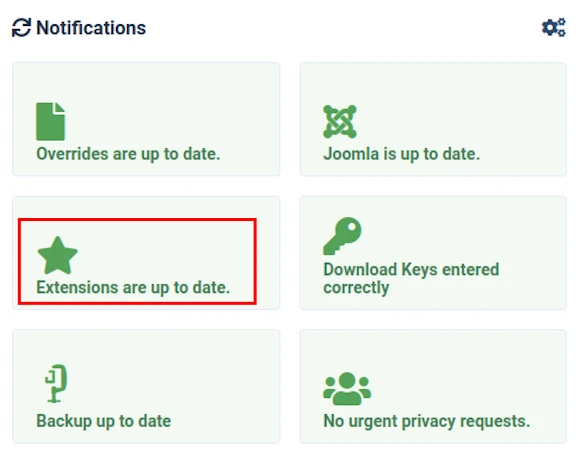
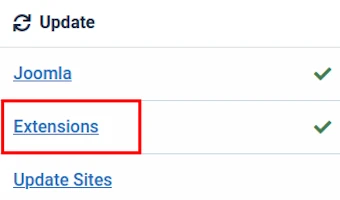
An Extension Update button will be visible in both the Home Dashboard and the System Dashboard screens.
Home Dashboard
If all installed Extensions are up to date then the button will be state Extensions are up to date.
If not then click the button.
System Dashboard
If all installed Extensions are up to date then the button will have a green tick displayed next to it.
If not then click the button.
Review the Extensions Update Screen
If no updates are available then you will see the following message:
- No Updates Available at the Moment
displayed at the top of the Extensions Update screen.
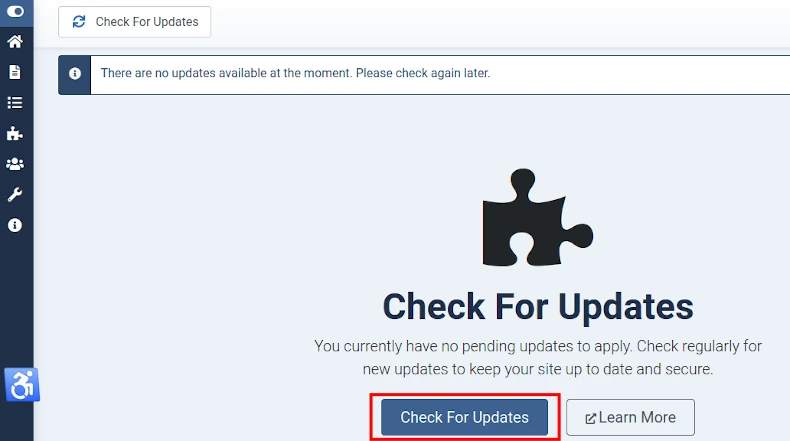
If you wish to check. click the Check for Updates button shown in the above image.
Click listed Extensions to update them.
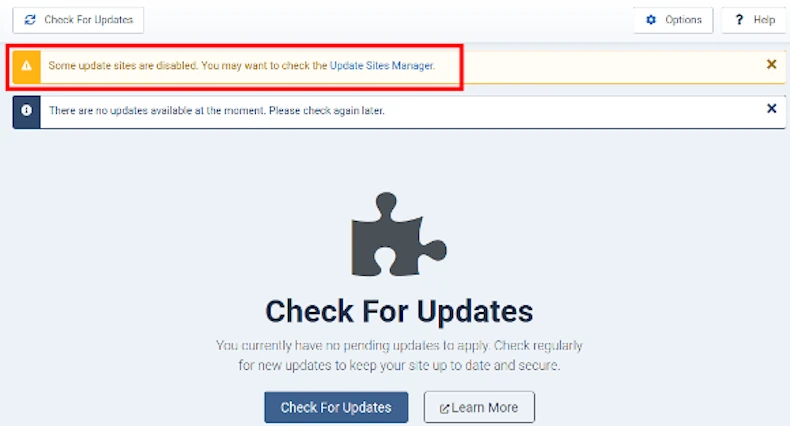
Warning: Some Update Sites are Disabled
If you see a warning message stating:
- Some Update Sites are Disabled (highlighted in image below)
at the top of the Extensions Update screen then you should click the Update Sites Manager link provided.
See image below.
Example Update Sites screen.
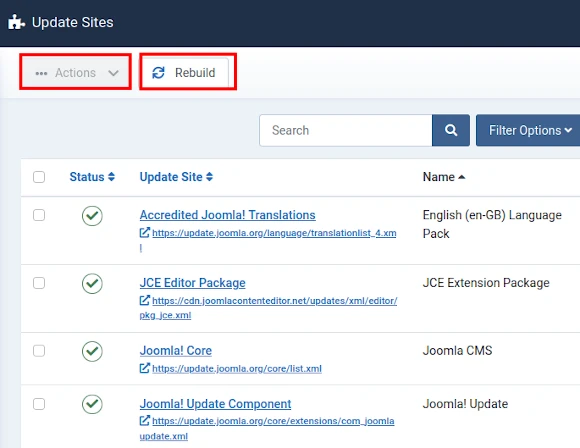
If the status of any item is not shown as a green tick then:
- select the check box next to the item, and
- select Enable from the Actions drop-down at the top of Update Sites screen.
Click the Rebuild button if you want to re-populate the list with the latest known URLs for the Update Sites used by installed extensions.
What if an extension update fails?
You can update a 3rd party extension either by:
- using one of the Installer Plugins included with the Joomla! CMS, or
- performing a 'manual update' using an FTP Client like FileZilla.
If you have to frequently perform a 'manual update' to update 3rd party extensions then you should contact your hosting provider's Technical Support.
If they are unable to help then you should move your website to a different hosting provider.
We can help. Just ask.
Contact WYNCHCO Customer Support.
Some FAQs
Do you need to uninstall the current version of an extension?
As a general rule this should not be necessary.
A developer's Release Notes should tell you to uninstall a previous version of their extension before installing the version IF this is recommended.
Do you need to check files and database after updating an extension?
Most 3rd party extension update routines remove redundant files and/or database entries during the update process.
Experience tells us that this is not, however, always the case.
For this reason we recommend you familiarise yourself with the File and Database structure of your Joomla! CMS.
And periodically give it the 'once over'.


